

Yo, keyboard nerds! ⌨️
If you’ve already fallen down the mechanical keyboard rabbit hole, you’ve probably obsessed over switches (Linear or Tactile?) and cases (Aluminum brick or Acrylic?). But there’s one thing that literally changes the vibe of every single keystroke: Keycap Profiles.
Think of them as the “shoes” for your switches. Some are like high-performance sneakers, while others are like vintage high heels. Let’s break down the main “families” so you can find your endgame feel.
1. OEM Profile: The “Safe Bet”
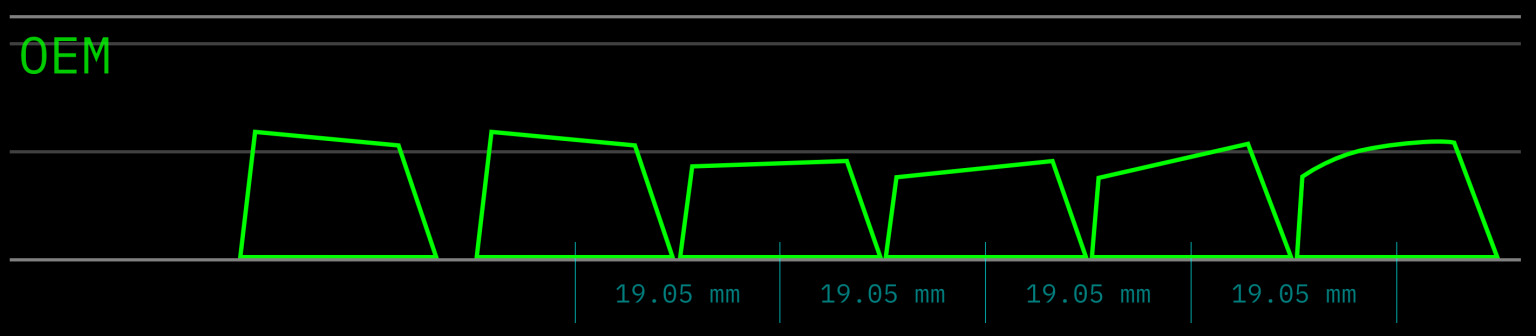
This is the standard. Most pre-built boards (like that Razer or Corsair gathering dust) come with these. They are sculpted, meaning each row has a different height and angle to help your fingers find their way.
- The Vibe: It’s the “Honda Civic” of keycaps. Reliable, familiar, and gets the job done. Great for beginners, but a bit “basic” for the hardcore crowd.
2. Cherry Profile: The “Gold Standard”
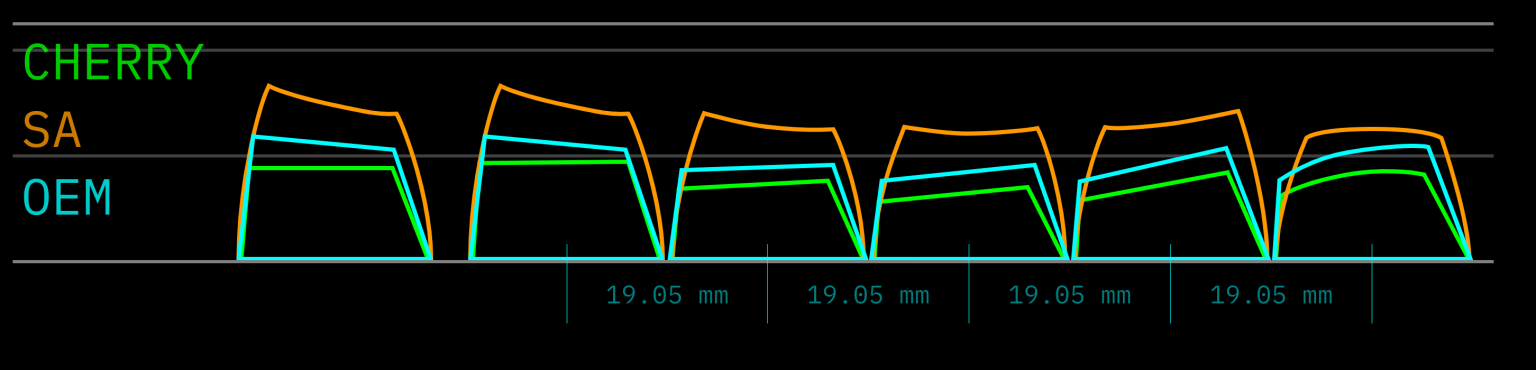
The OG. Defined by Cherry themselves, these are shorter than OEM and have a more aggressive angle.
- The Vibe: Clean, crisp, and professional. This is what you’ll find on high-end custom sets (shoutout to GMK). If you want that satisfying “thock” and a lower profile without going totally flat, this is it.
3. SA Profile: The “Retro Tall Boy”
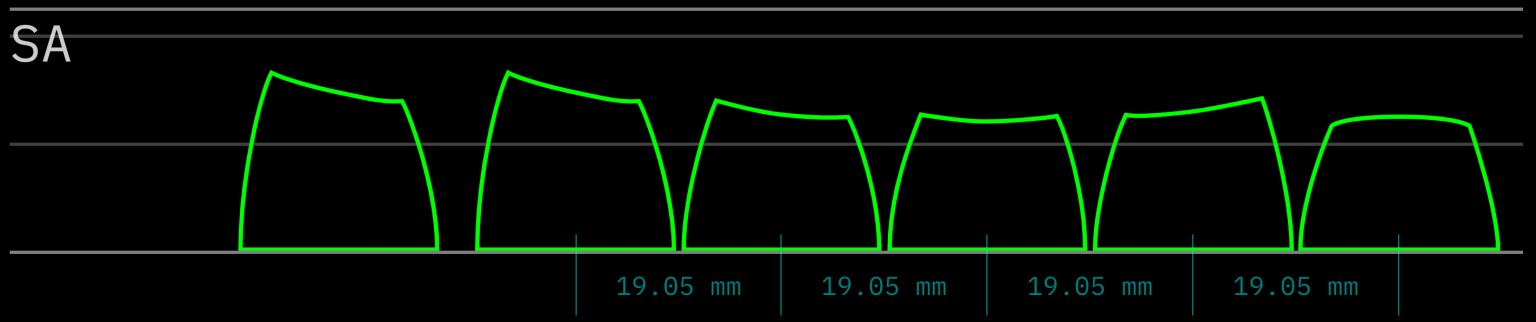
SA is the absolute unit of keycaps. They are super tall with a spherical (dished) top that hugs your fingertips. It’s a throwback to the IBM selectric typewriters from the 70s.
- The Vibe: Pure aesthetic fire. They produce a deep, “thocky” sound because of all that extra plastic. Warning: They are so tall you’ll probably need a wrist rest unless you want your hands to stage a protest.
4. DSA Profile: The “Low-Profile Minimalist”
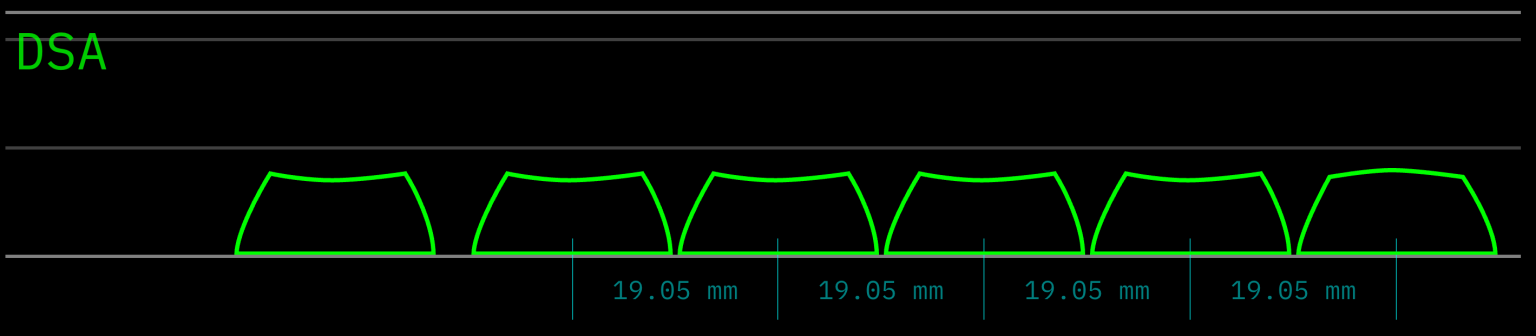
Unlike the ones above, DSA is uniform. Every single keycap is the exact same height and shape, regardless of which row it’s on.
- The Vibe: Super clean and low-profile. Since every key is the same, you can swap them around anywhere (perfect if you’re a weirdo who uses Dvorak or Colemak layouts). Just know it takes a minute to get used to the lack of “sculpted” rows.
5. XDA / MA Profile: The “Chunky Uniform”
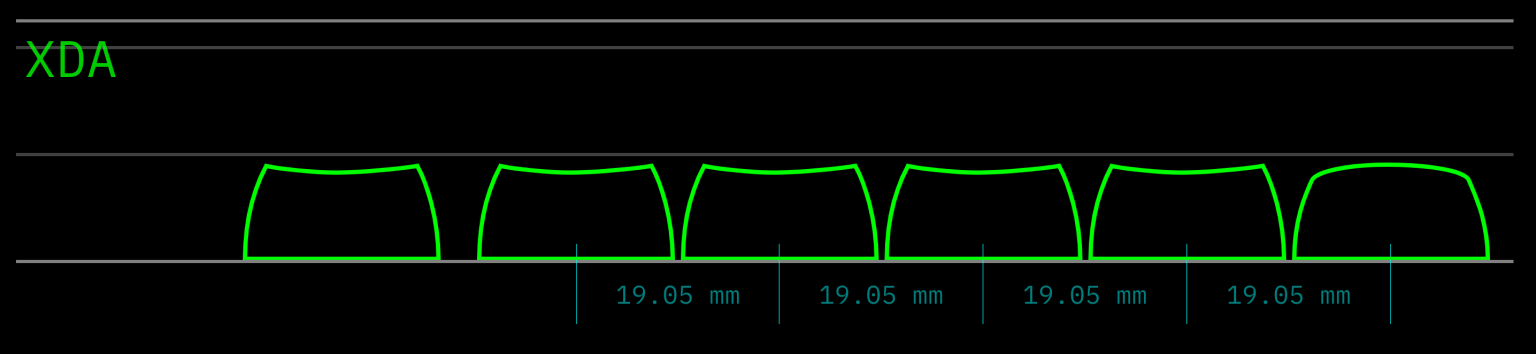
Think of XDA as DSA’s bigger, slightly more rounded cousin. They are still uniform (same height everywhere) but have a larger surface area for your fingers.
- The Vibe: Very “Instagrammable.” They usually come in super cute or artsy colorways. The feel is “soft” and “pillowy,” though some find them a bit harder to type on quickly because there’s no tilt.
Which one should you grab?
- For Speed & Gaming? Stick with Cherry or OEM.
- For the “Thock” & Retro Aesthetics? Go SA.
- For Minimalist looks & Custom Layouts? Try DSA or XDA.
Don’t just take my word for it—get out there and try a few sets. Your fingers will thank you. Peace! ✌️
Leave a Reply